Websites and web platforms
Service websites, catalogues, customer accounts and education platforms.
Explore the service · Russian — Websites and web platforms MG—TRENER
ASTANA · KAZAKHSTAN · CIS
We build websites, mobile applications and business systems for healthcare, education, finance, retail and engineering, around your processes and users.
Development services
Service websites, catalogues, customer accounts and education platforms.
Explore the service · Russian — Websites and web platformsApplications for healthcare, fitness, finance, retail and other industries.
Explore the service · Russian — Mobile applicationsMedical software, data interfaces and integrations around working processes.
Explore the service · Russian — Healthcare and laboratoriesDevice connectivity, RS-232/Ethernet diagnostics and technical automation.
Explore the service · Russian — Engineering softwareDEVELOPED PROJECTS
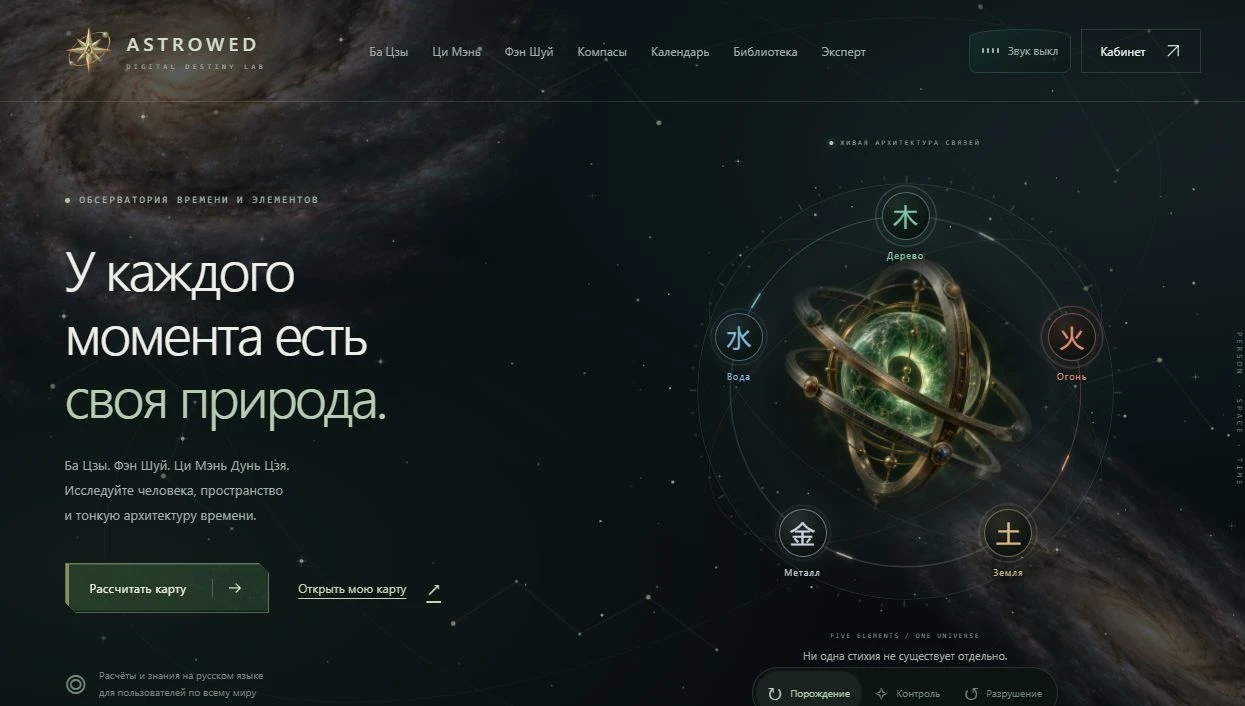
A platform for experts
A platform for experts in astrology and Chinese metaphysical practices, including BaZi, Qi Men and related disciplines.
Explore the platform — Astrowed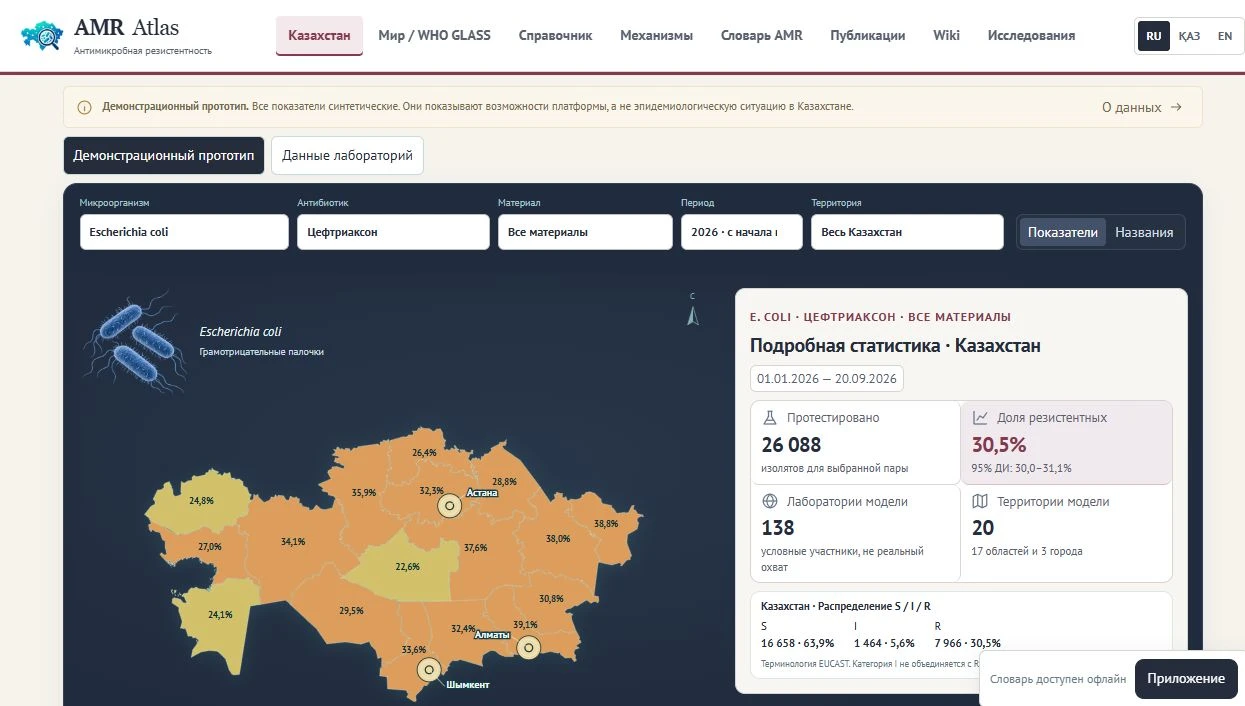
Antimicrobial resistance platform
A resource focused on microorganisms’ resistance to antimicrobial medicines.
Explore the platform — AMR-ATLAS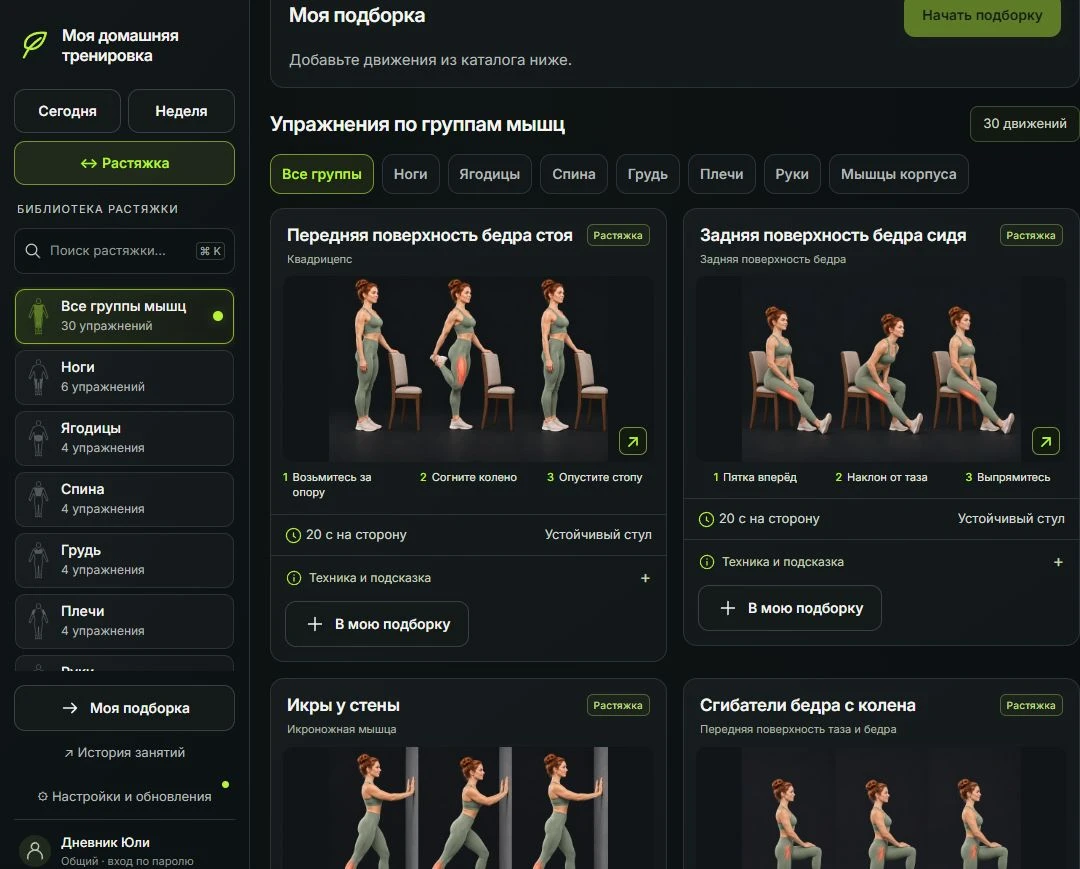
Fitness · web application
A home workout web app with strength training, stretching, an illustrated exercise library and a diary that saves progress.
Explore the platform — Juligym
Education · beauty industry
A website for a haircutting and hair colouring academy: course presentation, course catalogue, city pages and a student account.
Define users, essential features and the first release. Agree on scope, timing and cost.
Review user flows and the interface, then build the agreed features.
Check the main workflows and prepare the launch. Discuss ongoing support separately.

Discover, configure and diagnose RS-232 ↔ Ethernet/Wi-Fi converters. MOXA NPort 5110, DIEWU, Lantan CS-1101 and HF2211/HF2211A in one Windows app.
Windows 10 22H2 / Windows 11 · x64
Search Ethernet and Wi-Fi by IP range and network activity. ARP and MOXA replies help locate an unknown IP; VPN discovery uses routed, reachable addresses.
Read and edit DIEWU, MOXA NPort 5110, Lantan CS-1101 and HF2211/HF2211A settings. Embedded browser, automatic login with supported factory credentials and settings copy.
Temporarily assign an IP by DHCP to one HF2211 without a router or its own Wi-Fi. Verify HTTP and MAC, then resume DHCP after the device restarts.
Configure HF2211 as a STA client: scan networks, enter SSID and password, set WAN/LAN and addressing. Discover it through the laptop Wi-Fi adapter when network clients can reach each other.
Temporary IP, subnet mask and gateway for the selected adapter. Device subnet guidance and restoration of the original configuration.
Test the USB-COM → RS-232 → MOXA → Ethernet path with results and recommendations. Wiring diagrams and pin reference.
COM and TCP communication: send data, repeat commands, use templates and save the exchange log.
Tooltips explain every HF2211 field and the effects of changing it. Guides cover LAN, direct Ethernet, Wi-Fi STA and other connection scenarios.
Check for new releases manually, choose Lite or Offline, and download with size and SHA-256 verification. Updates preserve user settings.
Identical features. Choose your installer.
Open releases folder
A compact installer. Downloads WebView2 only when it is missing from your computer.
Choose Lite in folder ↗WebView2 is included. Install the main application without internet access.
Choose Offline in folder ↗.NET is included in both installers. Npcap for unknown IP discovery is installed separately; install it in advance for offline use. The USB-COM driver depends on your adapter model.
Describe the task, users and essential features. Share examples and your preferred timeline. A complete specification is not required for the first conversation.
The number of screens, features, integrations and available content. After clarifying the task, we agree on the first release and its estimate.
Yes. We are based in Astana and discuss projects remotely with clients in Kazakhstan and the CIS.
Briefly describe the task and who will use the product. We will identify what is needed for an estimate.
Discuss on WhatsAppAstana, Kazakhstan · remote projects for clients in the CIS